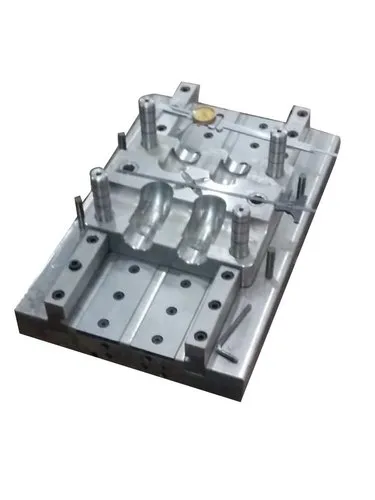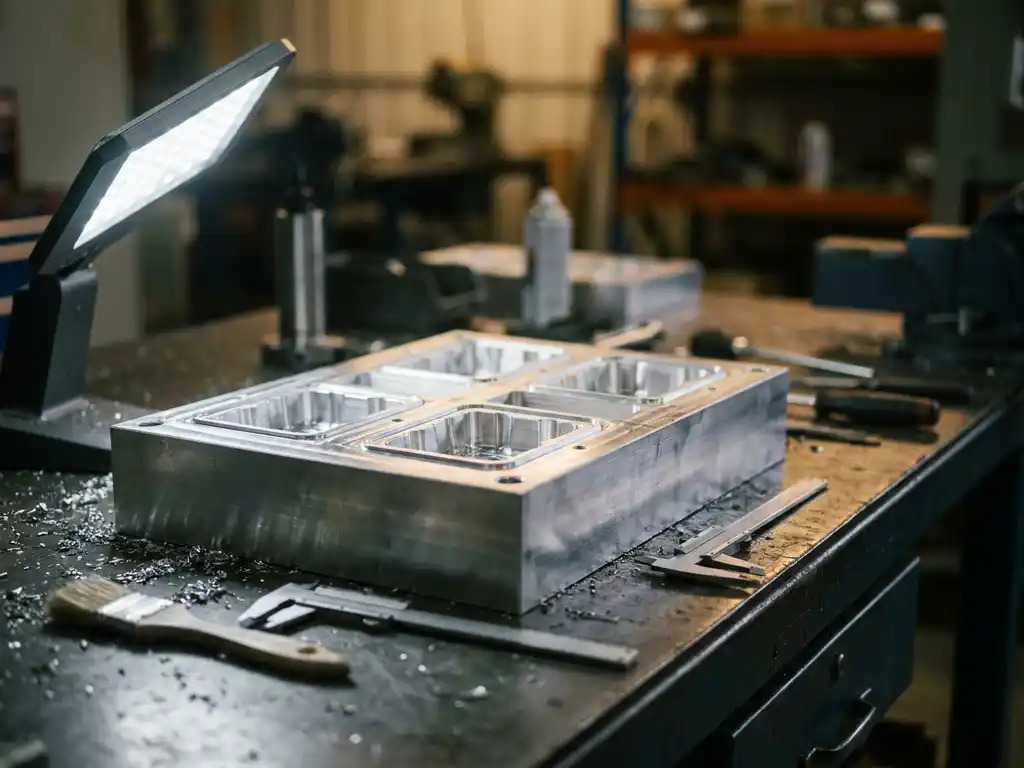
Multi-Cavity Thermoforming Moulds are moulds designed to produce multiple identical or different thermoformed parts during a single forming cycle. Instead of forming one product at a time, several cavities are arranged on one mould or tooling plate.
They are especially useful for medium- to high-volume production, where increasing the number of parts produced per cycle can improve productivity.
What Is a Multi-Cavity Thermoforming Mould?
A multi-cavity thermoforming mould contains two or more forming cavities.
For example, a mould with 8 cavities can potentially produce 8 components in one forming cycle, depending on the machine, sheet size, and mould design.
Multi-cavity moulds can be configured as:
- Identical cavities – Producing the same product in every cavity.
- Family cavities – Producing different but related components.
- Symmetrical layouts – Cavities arranged evenly around the mould.
- Custom layouts – Cavities positioned according to the sheet and product geometry.
How Multi-Cavity Thermoforming Works
The basic process is:
1. Sheet Loading
A thermoplastic sheet or roll-fed material is positioned in the machine.
2. Heating
The plastic sheet is heated uniformly until it reaches the appropriate forming temperature.
3. Mould Positioning
The heated sheet is positioned over the multi-cavity mould.
4. Forming
Vacuum and/or compressed air draws the heated plastic into or over all mould cavities.
5. Cooling
The formed plastic is cooled while maintaining the required shape.
6. Demoulding
The formed sheet is released from the mould.
7. Trimming
Individual components are separated from the surrounding sheet.
Main Components
| Component | Function |
|---|---|
| Mould Base | Supports the complete mould |
| Multiple Cavities | Form several products simultaneously |
| Vacuum Channels | Remove air from each cavity |
| Vacuum Holes | Help the sheet conform to cavity surfaces |
| Venting System | Releases trapped air |
| Cooling Channels | Control mould temperature |
| Mounting Plate | Secures the mould to the machine |
| Trimming Area | Allows separation of finished products |
Types of Multi-Cavity Thermoforming Moulds
1. Identical-Cavity Mould
All cavities have the same shape and dimensions.
Example:
A 12-cavity mould producing 12 identical plastic trays.
This configuration is useful for high-volume production of the same product.
2. Family-Cavity Mould
The mould contains cavities for different but related components.
For example, one sheet could produce several components that belong to the same product assembly.
3. Inline Cavity Arrangement
Cavities are arranged in rows along the sheet.
This configuration can make efficient use of continuous sheet material.
4. Matrix Arrangement
Cavities are arranged in a grid or matrix pattern to maximize the usable sheet area.
Advantages
Higher Production Output
Several parts can be formed in one cycle.
Better Machine Utilization
More products can be produced without proportionally increasing the number of forming cycles.
Lower Cost Per Part
At suitable production volumes, tooling and machine costs can be distributed across multiple components.
Efficient Material Usage
A carefully designed cavity layout can improve sheet utilization and reduce scrap.
Consistent Products
All cavities are processed under the same general forming conditions.
Limitations
- Higher initial tooling cost
- More complicated mould design
- More complex vacuum and cooling systems
- Requires careful cavity balancing
- Uneven heating can cause differences between cavities
- Maintenance can be more demanding
- A problem in the mould may affect several parts simultaneously
Multi-Cavity vs. Single-Cavity Thermoforming
| Feature | Single-Cavity | Multi-Cavity |
|---|---|---|
| Parts Per Cycle | 1 | 2 or more |
| Production Output | Lower | Higher |
| Tooling Complexity | Lower | Higher |
| Initial Tooling Cost | Generally lower | Generally higher |
| Cost Per Part at High Volume | Generally higher | Can be lower |
| Vacuum System | Simpler | More complex |
| Cooling System | Simpler | More complex |
| Maintenance | Easier | More involved |
| Best Suited For | Prototypes/low volume | Medium/high volume |
Important Design Considerations
Cavity Spacing: Adequate spacing must be provided between cavities to prevent interference and allow proper forming.
Sheet Utilization: Cavities should be arranged to make efficient use of the available sheet.
Heating Uniformity: The sheet must be heated consistently across the entire forming area.
Vacuum Distribution: Vacuum must reach each cavity effectively.
Cooling: Cooling should be reasonably balanced across the mould to maintain consistent dimensions.
Wall Thickness: Product geometry and cavity arrangement should account for material stretching and thinning.
Draft Angle: Suitable draft helps release multiple formed components without damage.
Trimming: The layout should allow efficient separation of the individual products after forming.
Common Applications
Multi-cavity thermoforming moulds are commonly used for:
- Food trays
- Disposable packaging
- Plastic containers
- Blister packs
- Medical trays
- Electronics packaging
- Automotive components
- Appliance components
- Industrial packaging
- Protective inserts
Example
Consider a thermoforming mould containing 10 identical tray cavities.
During one forming cycle:
1 heated sheet → 10 formed trays → trimming → 10 finished trays
Compared with a single-cavity mould producing one tray per cycle, the multi-cavity design can significantly increase production output when the machine and sheet size support the arrangement.
In Short
Multi-Cavity Thermoforming Moulds allow several plastic components to be produced during a single thermoforming cycle. They are particularly useful for medium- and high-volume production, where increased output and efficient machine utilization are important.
The main design challenges are cavity layout, sheet utilization, uniform heating, vacuum distribution, cooling, wall-thickness control, and trimming. A well-designed multi-cavity mould can provide high productivity while maintaining consistent product quality.