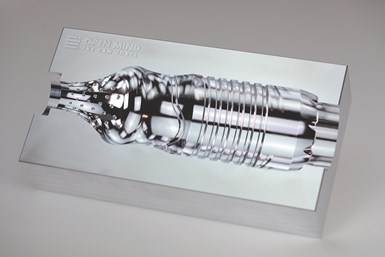
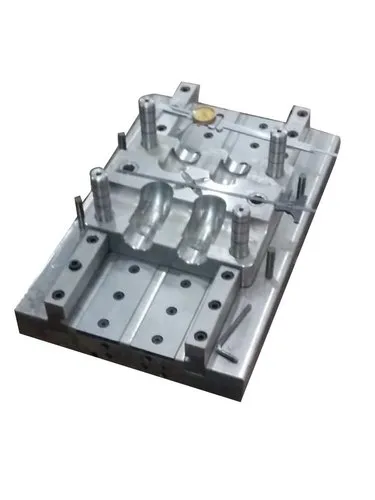
Blow moulding is a widely used manufacturing process for producing hollow plastic parts such as bottles, containers, and tanks. The success of blow moulding relies heavily on optimizing design parameters to ensure product quality, structural integrity, and efficient material usage. Simulation and Computer-Aided Engineering (CAE) tools play a crucial role in achieving these goals by enabling virtual prototyping, reducing physical trials, and accelerating product development.
1. Importance of Simulation in Blow Moulding
Simulation in blow moulding design allows engineers to:
Predict material distribution across the product surface
Optimize parison design to ensure uniform wall thickness
Reduce cycle time and minimize scrap rates
Evaluate performance under real-world conditions (e.g., pressure, drop tests)
Accelerate time-to-market with fewer prototype iterations
2. Key Simulation Objectives
Wall Thickness Prediction: Ensuring structural integrity while reducing excess material.
Stretching and Inflation Behavior: Understanding how the parison expands within the mould.
Cooling and Shrinkage Analysis: Simulating the cooling phase to predict shrinkage or warping.
Mould Filling and Venting: Ensuring complete mould filling and preventing air entrapment.
Stress and Strain Distribution: Evaluating mechanical performance under loads.
3. Commonly Used CAE Tools for Blow Moulding
Several specialized CAE tools support blow moulding simulation. Some popular ones include:
a. SIGMASOFT® Virtual Molding
Simulates the entire moulding process, including parison formation, inflation, and cooling.
Offers material-specific simulations.
Focuses on thermal and flow behaviour inside the mould.
b. Moldex3D Blow Molding
Provides 3D simulation for extrusion blow moulding, injection blow moulding, and stretch blow moulding.
Predicts thickness distribution, warpage, and residual stresses.
Integrates with CAD tools for streamlined design analysis.
c. ANSYS Polyflow
Handles complex viscoelastic fluid flow typical in blow moulding.
Excellent for simulating material behavior during parison formation and inflation.
Supports co-extrusion and multilayer analysis.
d. Autodesk Moldflow
Offers simulation modules for various plastic moulding techniques including blow moulding.
Predicts defects such as thinning, weld lines, and air traps.
Useful for optimizing cooling and mould design.
e. LS-DYNA (for Drop and Impact Testing)
Used in conjunction with blow moulding tools to simulate drop, crush, and impact performance.
Valuable in packaging and automotive industries.
4. Workflow for Blow Moulding Simulation
Geometry Import: CAD model of the mould or final product is imported.
Meshing: Finite element mesh is generated for simulation accuracy.
Material Selection: Based on the resin’s rheological and thermal properties.
Boundary Conditions Setup: Includes pressure, temperature, cooling time, etc.
Simulation Run: The process is simulated across stages—extrusion, inflation, and cooling.
Result Analysis: Wall thickness, deformation, and defects are analyzed.
Design Optimization: Changes are made to the mould, parison, or process parameters.
5. Benefits of Using CAE in Blow Moulding
Cost Reduction: Fewer physical prototypes and shorter development cycles.
Improved Quality: Enhanced product performance and fewer defects.
Sustainability: Efficient material use and reduced waste.
Faster Time-to-Market: Quicker validation of design changes.
6. Industry Applications
Packaging: Bottles, containers, cosmetic tubes.
Automotive: Fuel tanks, air ducts.
Consumer Goods: Toys, sports equipment.
Medical: Pharmaceutical bottles, IV containers.